
Financial Management in
Business Central
A complete accounting core inside your ERP — general ledger, receivables, payables, bank reconciliation, budgets and fixed assets, all posting to one set of books in real time.
One ledger for the whole business
Every sales invoice, purchase, stock movement and payment posts straight into the general ledger — no re-keying month-end figures from spreadsheets, no version confusion.
Management sees live P&L, balance sheet and cash position at any time — by company, department, project or any dimension you define.
- Real-time financial statements, always audit-ready
- Multi-currency and multi-company consolidation
- Dimensions for department / project / channel analysis
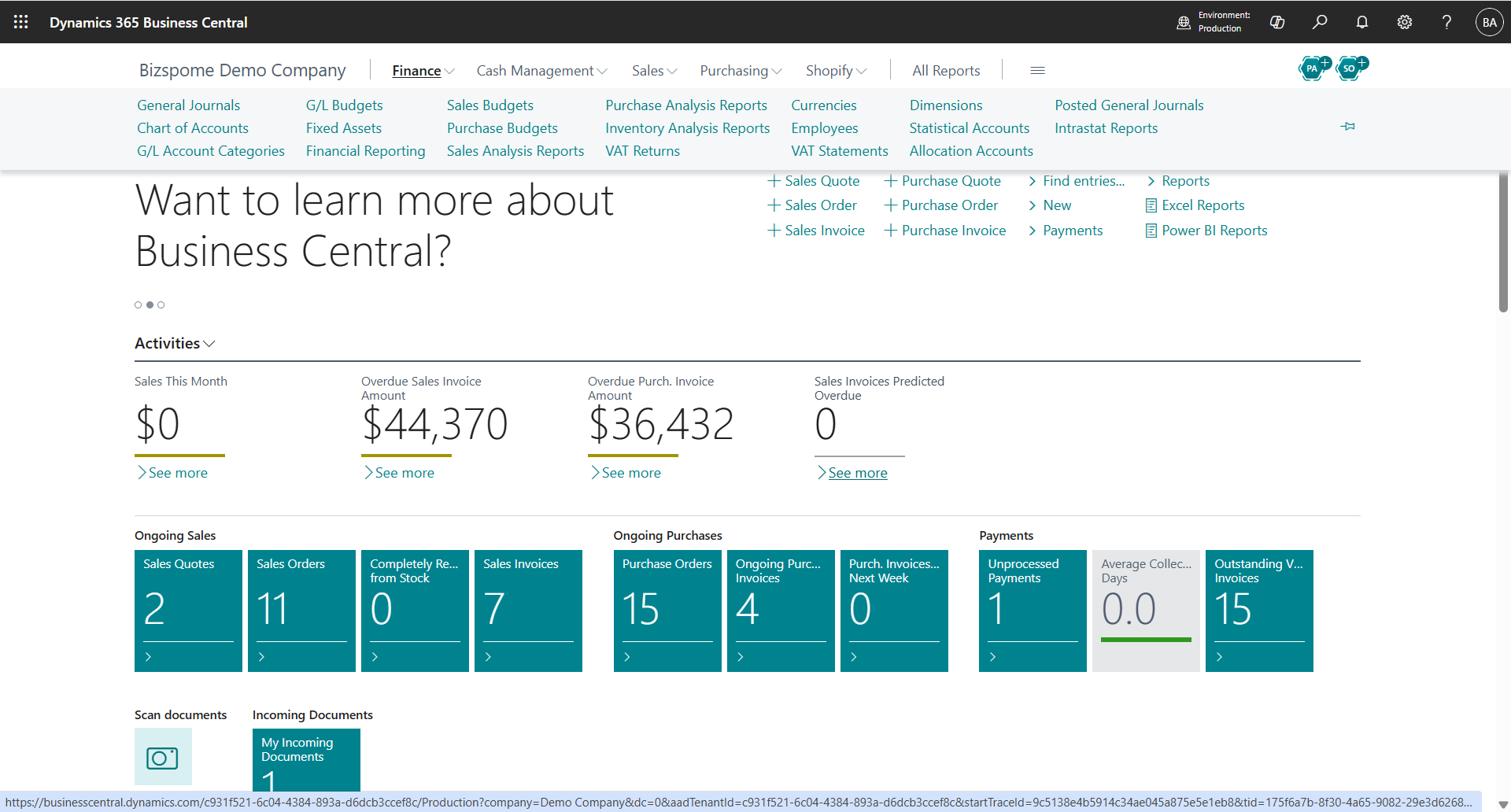
Everything your finance team needs
From daily bookkeeping to month-end close — configured for Hong Kong and international operations.
General Ledger
Flexible chart of accounts with dimensions, audit trails and posting groups. Close periods with confidence and drill from any report to the source document.
Accounts Receivable
Customer invoices, credit memos, payment terms and reminders. Track ageing and chase overdue balances before they become bad debts.
Accounts Payable
Vendor invoices, approval workflows and payment runs. The Payables Agent reads supplier invoices and prepares entries automatically.
Bank Reconciliation
Import bank statements and match transactions automatically. Pair with our AI Bank Reconciliation agent to clear months of backlog in minutes.
Budgets & Forecasting
Build budgets by account and dimension, compare actual vs budget in real time, and let AI forecast your cash position weeks ahead.
Fixed Assets
Track acquisition, depreciation, maintenance and disposal. Multiple depreciation books keep statutory and management views in parallel.
Multi-currency
Invoice and pay in any currency with automatic exchange-rate updates and realised/unrealised gain-loss posting — essential for HK importers and exporters.
Financial Reporting
Customisable account schedules, P&L, balance sheet and cash-flow statements. Analyse in Excel or Power BI, or just ask Copilot.
Consolidation
Consolidate multiple companies and currencies into group reports — ideal for businesses with HK, mainland and overseas entities.
Less typing, more insight
Business Central's built-in AI — extended by Bizspoke's own agents — takes over the repetitive work.
AI cash-flow forecast
Predicts your cash position from open documents and payment history.
Payables Agent
Reads supplier invoice PDFs and drafts purchase invoices for approval.
AI bank reconciliation
Bizspoke's agent matches bank statements to ledger entries automatically.
Copilot assistance
Ask questions in plain language and get answers from your live data.
Questions SMEs ask us
Straight answers about moving your finance function to Business Central.
How long does a typical finance rollout take?
For a single-entity SME moving off spreadsheets or entry-level software, the core finance go-live typically takes 8–12 weeks: 2–3 weeks of scoping and chart-of-accounts design, then configuration, data migration, user training and a parallel-run period before we cut over. Multi-company or multi-currency setups add time. We fix the plan and milestones up front.
Is our financial data ready for migration?
Almost every SME starts with messy data — that's normal. We run a data-readiness assessment first: we review your trial balance, customer and vendor masters, opening balances and any open invoices, then give you a clean-up checklist. You don't need perfect data before you talk to us; you need a recent trial balance and export access to your current system.
Who reviews AI outputs like auto-matched bank lines or AI-drafted invoices?
Your team always does — AI drafts, humans approve. Nothing posts to the ledger without a person confirming it: the Payables Agent submits invoice suggestions for approval, and AI-matched bank reconciliation lines are shown for review before posting, with every match carrying an audit trail. We also configure approval limits and tolerance thresholds to match your control requirements.
Can we keep our existing chart of accounts?
In most cases yes — we migrate your existing structure and enhance it with dimensions for department, project or channel analysis, rather than forcing you onto a generic template. If your current chart has grown unwieldy over the years, this is the ideal moment to simplify it, and we'll guide that redesign with you.
Does it handle Hong Kong and cross-border requirements?
Yes — multi-currency with automatic exchange-rate updates, multi-company consolidation across HK, mainland and overseas entities, and reporting that your auditor and tax agent can work with. We've configured Business Central for HK, Australian, China, Taiwan and Japan operations for over 20 years.
What does it cost, and what's the current promotion?
Business Central Essentials is from USD 80 per user/month, Premium USD 110, and read-only Device access USD 45. Under Microsoft's 'Bridge to the Cloud 3' offer, eligible customers migrating from legacy Dynamics receive around 30% off for up to three years (January 2026 – December 2027 window). Contact us for an exact quote for your user count.

Want to see the finance module with your own chart of accounts?
Talk to our consultants — we'll walk you through a live demo.
Or reach us on WhatsApp